Why host vibe-coded apps on Catalyst Slate?
Catalyst Slate helps you scale from prototype to production with secure, reliable hosting.
With Slate, you can ship updates faster with automatic deployments and view instant live previews for every change. Build with your preferred framework while Catalyst Slate handles performance, scaling, security, and uptime for you.
Explore more about why you should deploy your vibe coded apps on Catalyst here.
Pre-requisites
Before you begin, make sure you have:
- A Lovable account
- A GitHub account
- A Catalyst account
- A Lovable project ready to deploy
Make sure you understand how the integration works:
- When connected, your code lives in GitHub, not separately in Lovable.
- The connection depends on the exact GitHub repository name, location, organization, and account.
Generate your app in Lovable
Begin by generating a new app using your vibe coding tool, Lovable. Go to Lovable and give it a prompt.
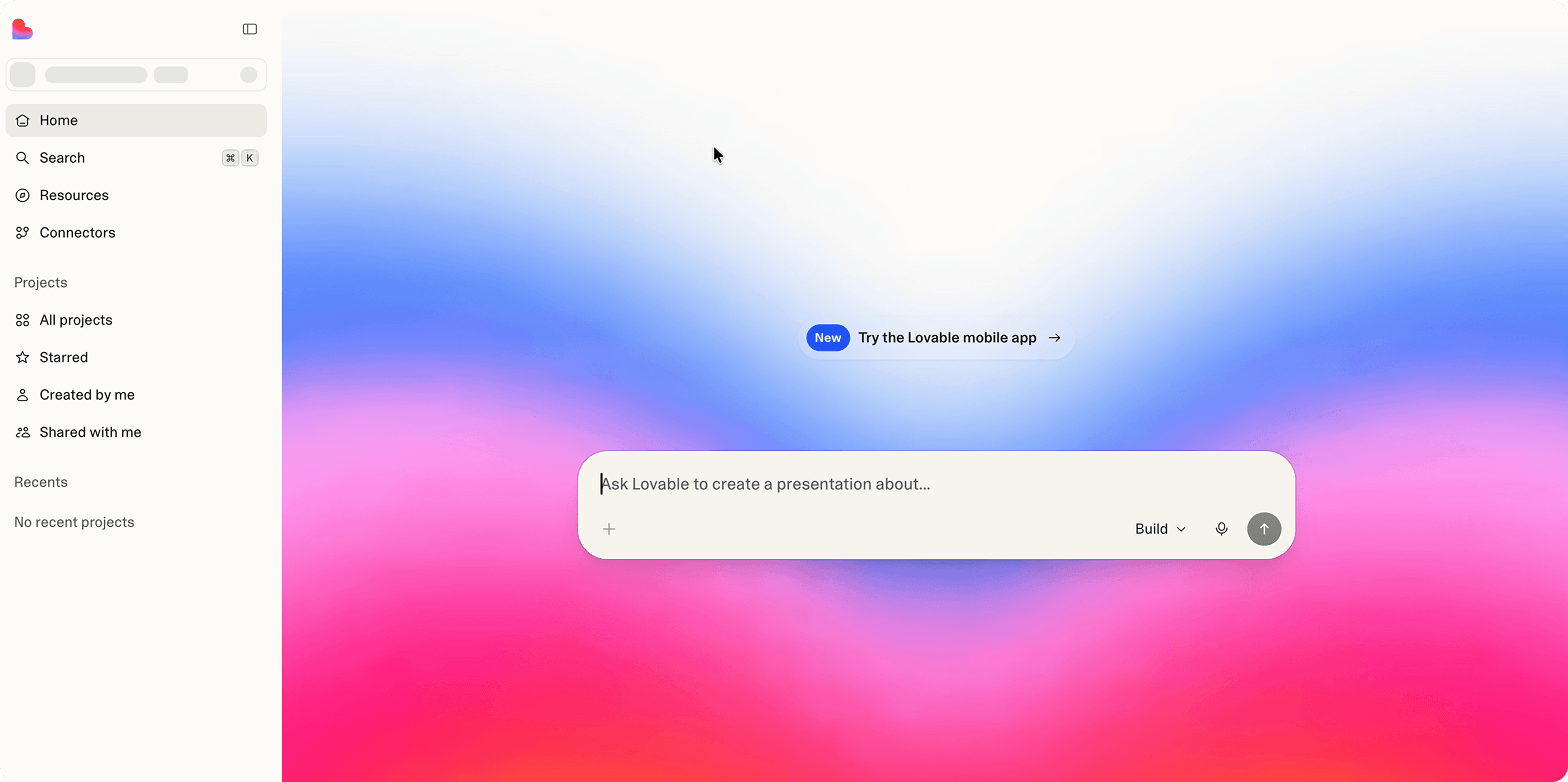
Connect Lovable to Github
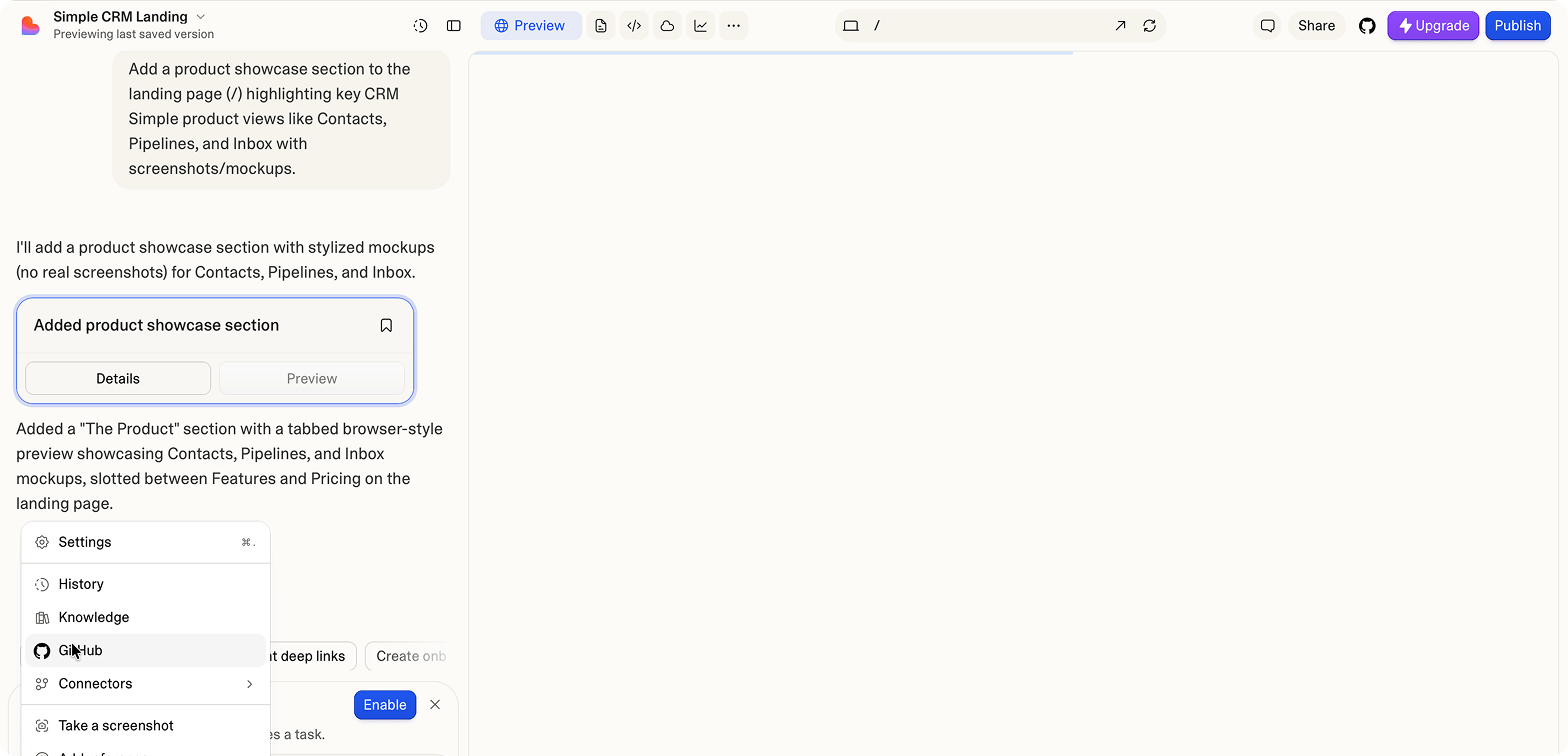
After you're done generating the site, connect lovable to GitHub. First, select GitHub from the options on the bottom left corner of your screen.
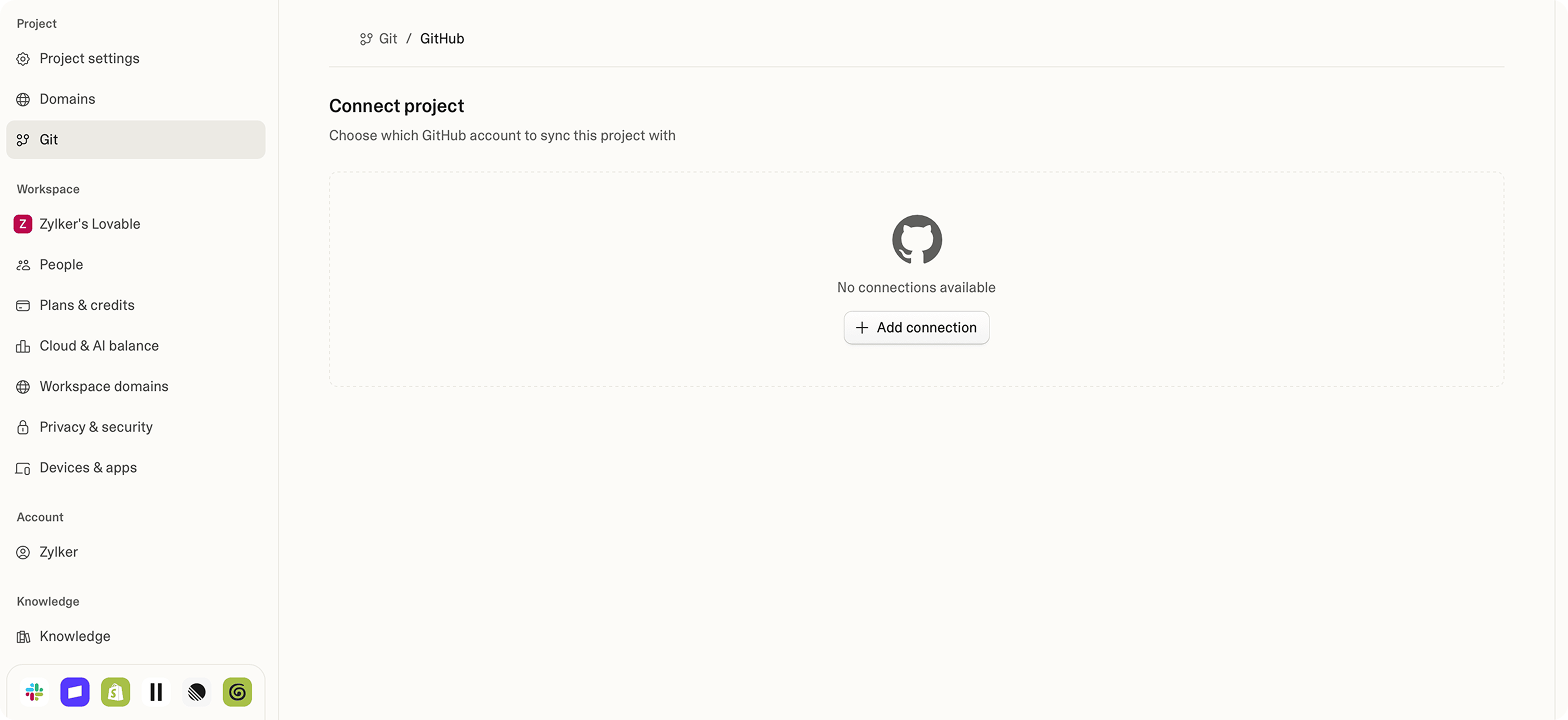
Then, choose which GitHub account to sync your project with. Add the connection if you haven't already.
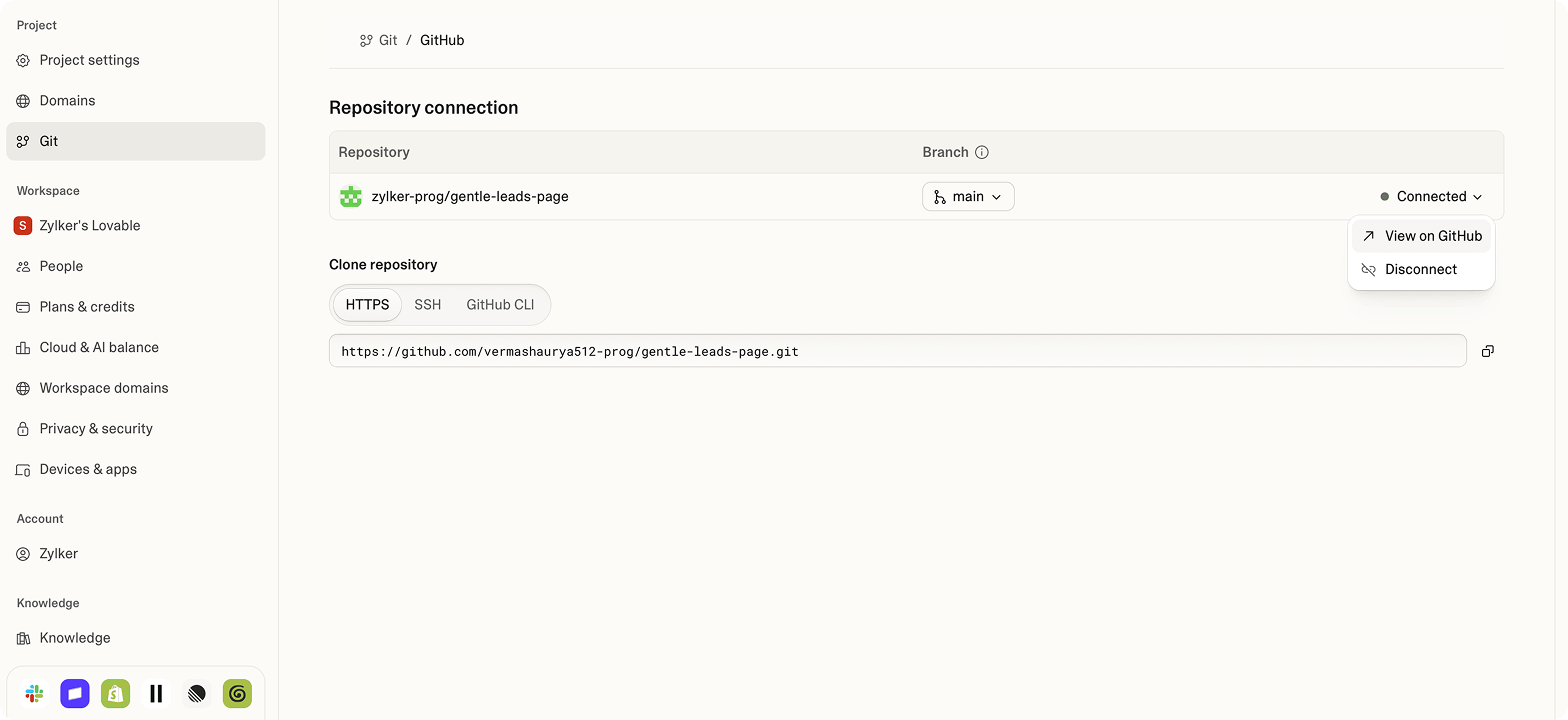
After you install and authorize the connection, you'll see the following page:
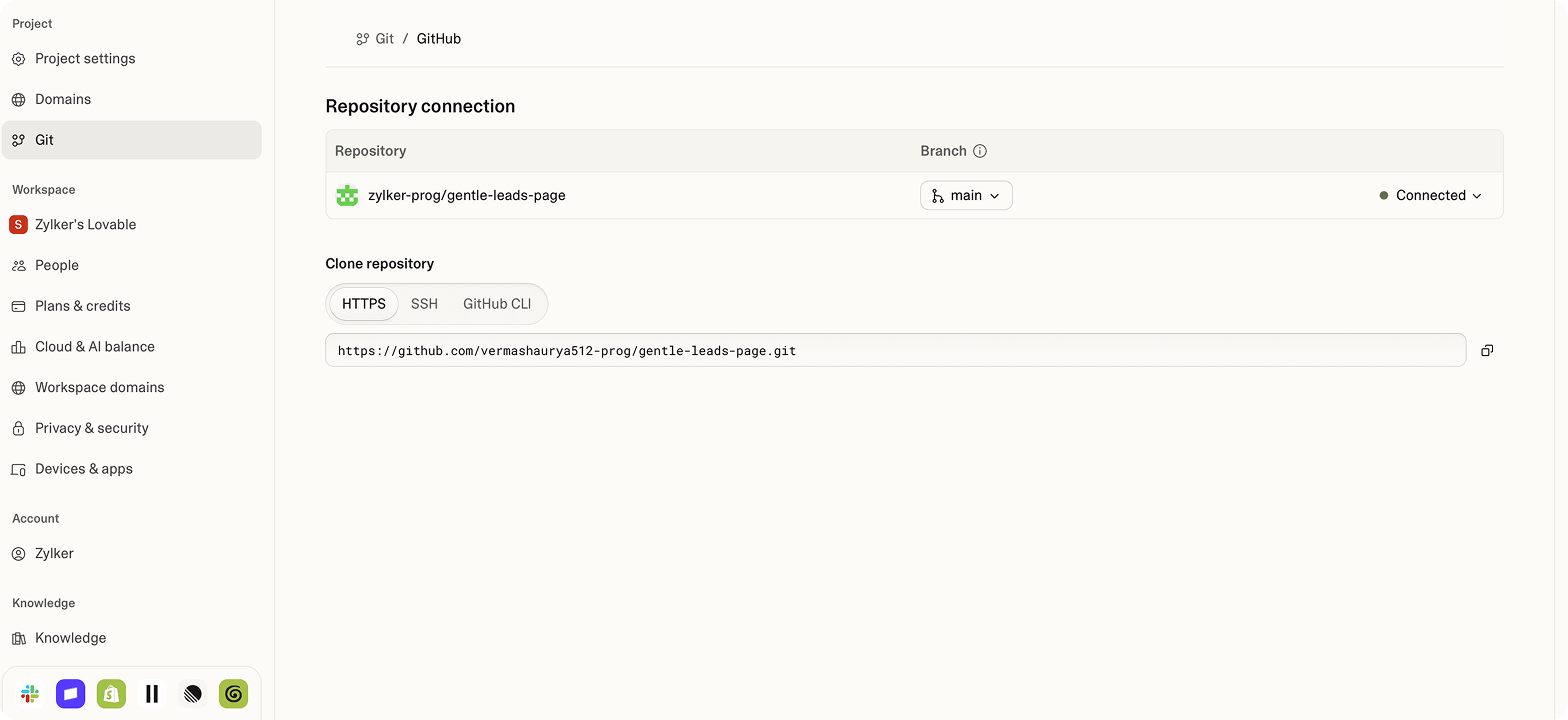
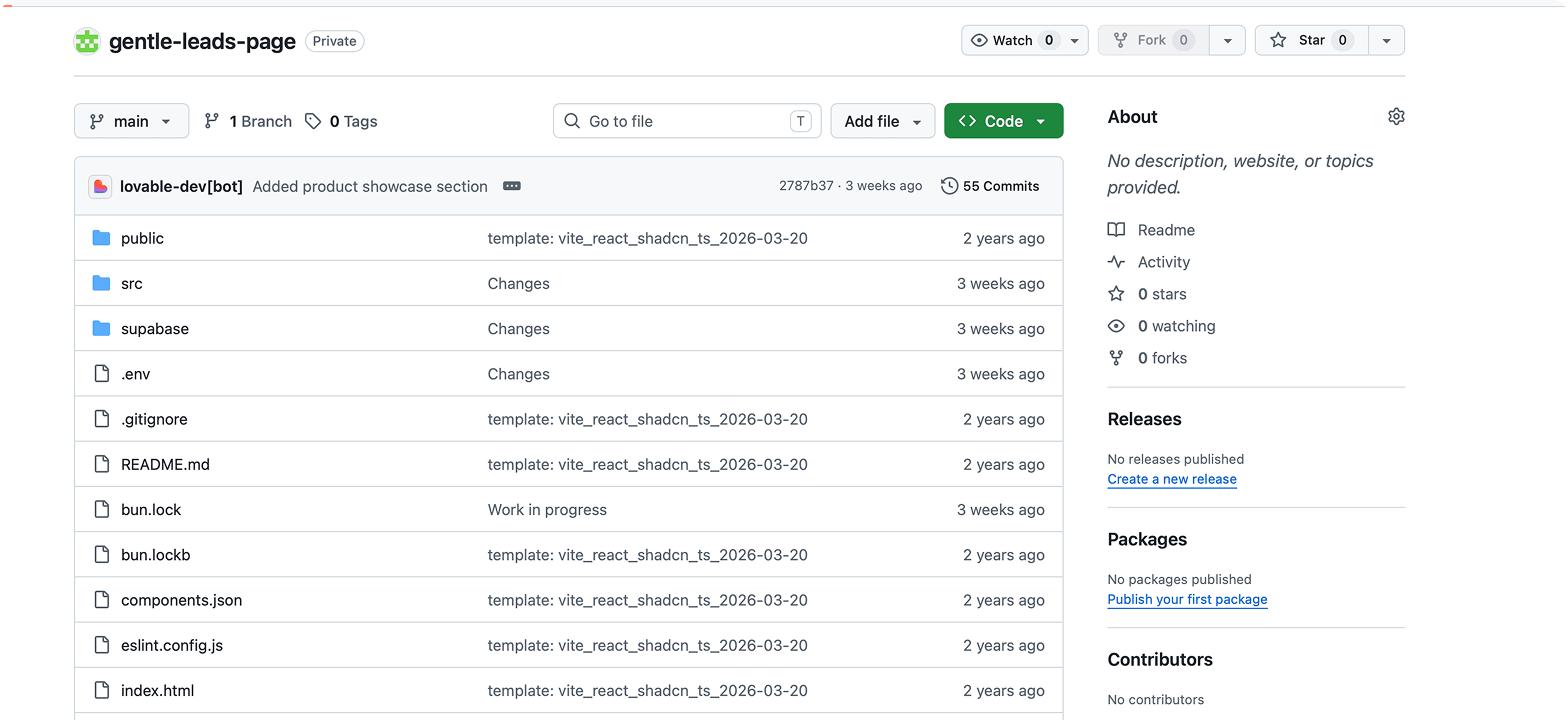
If you select View on GitHub, you'll see your developed Lovable website code in the GitHub repository.
Deploy on Catalyst Slate
Now that you've connected your Lovable account with GitHub, you can deploy it in Catalyst Slate.
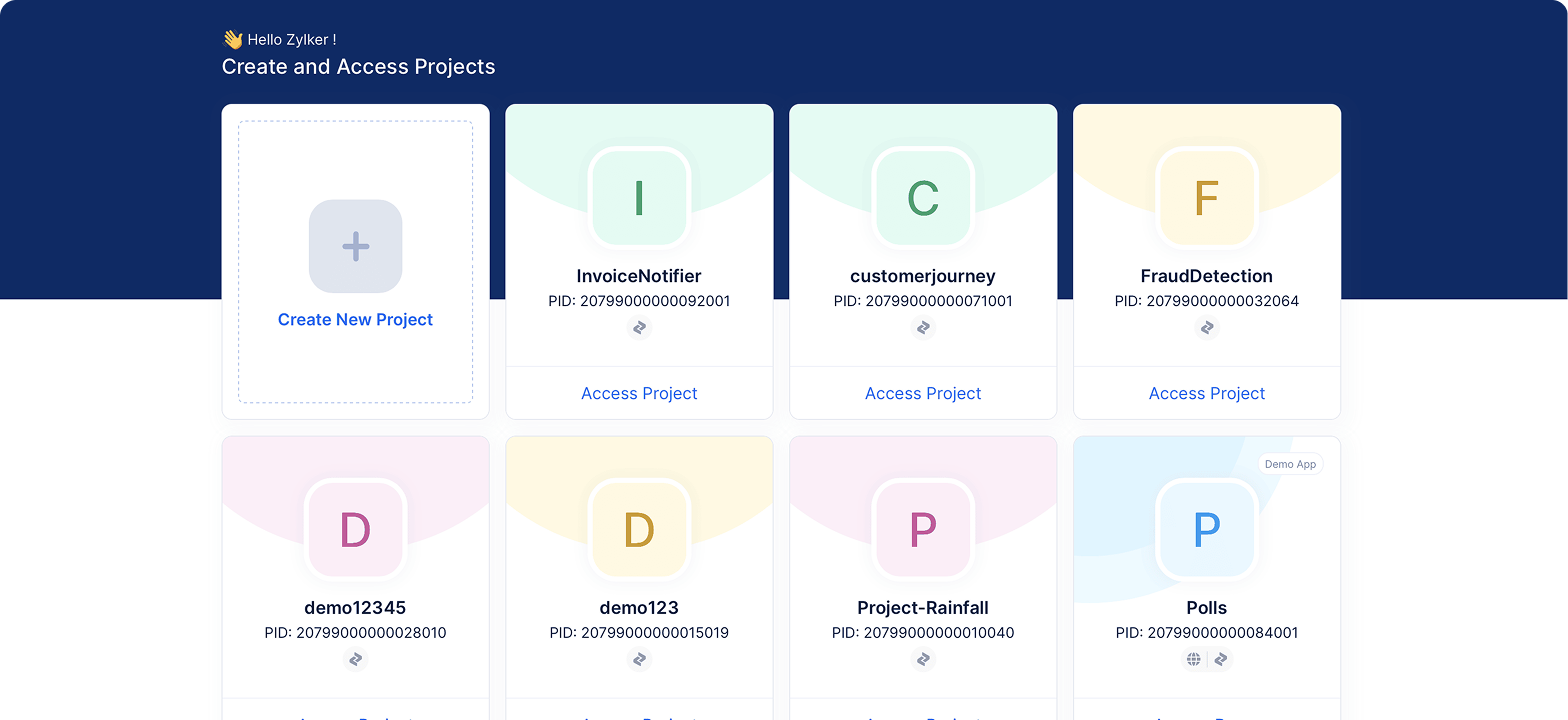
When you sign up, a project is created for you. You can continue with this project or create a new one.
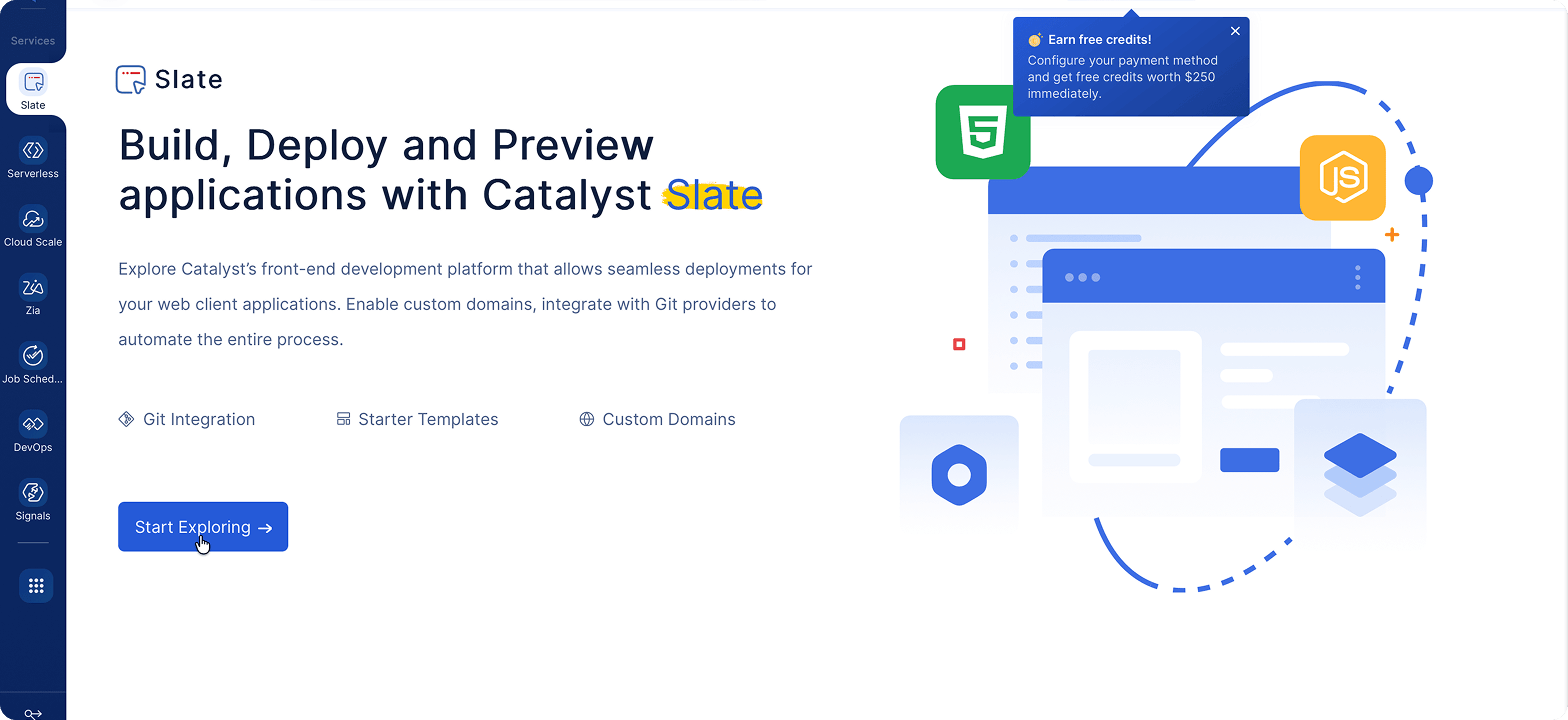
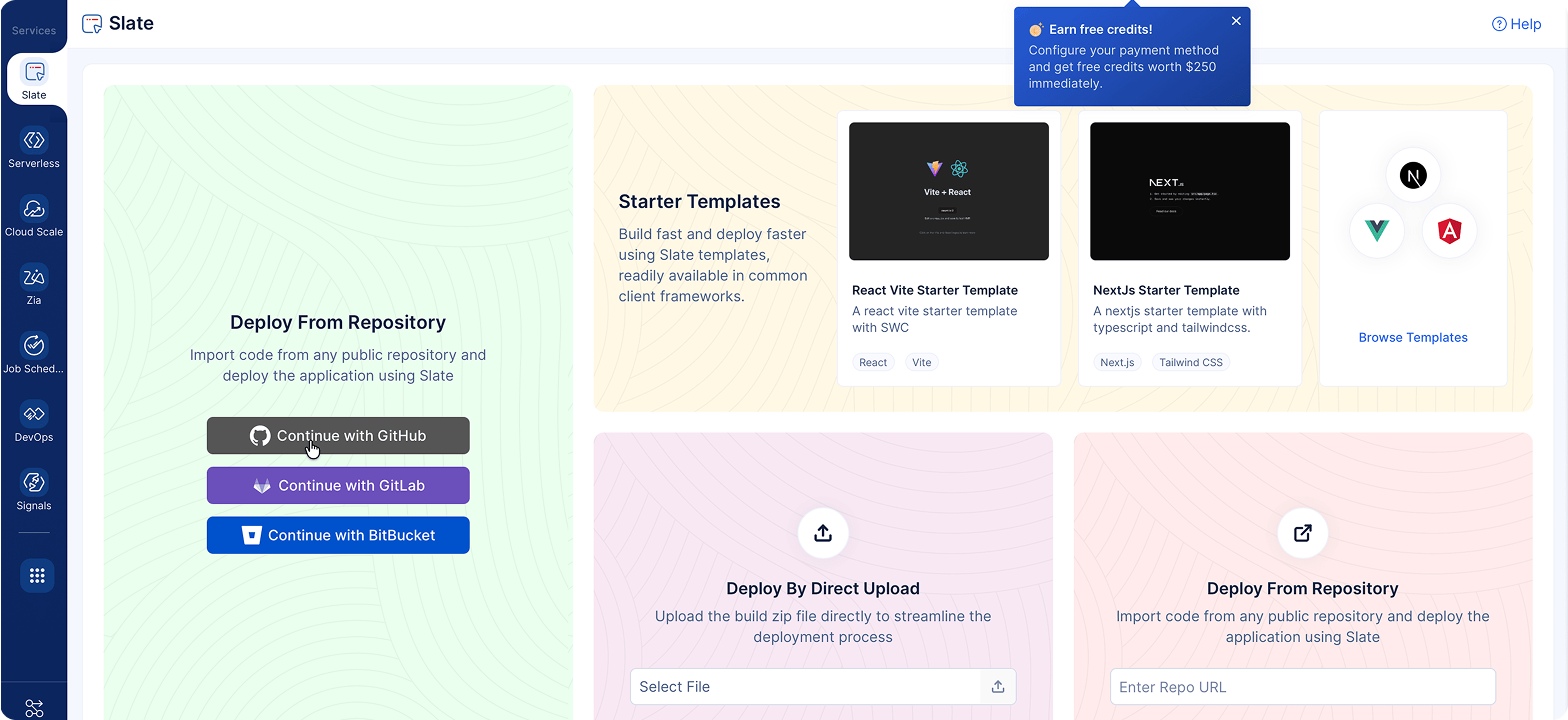
Go to the Catalyst Slate section in the console and click on Start Exploring.
Now, let's connect your GitHub account with Slate.
Click on Add Account.
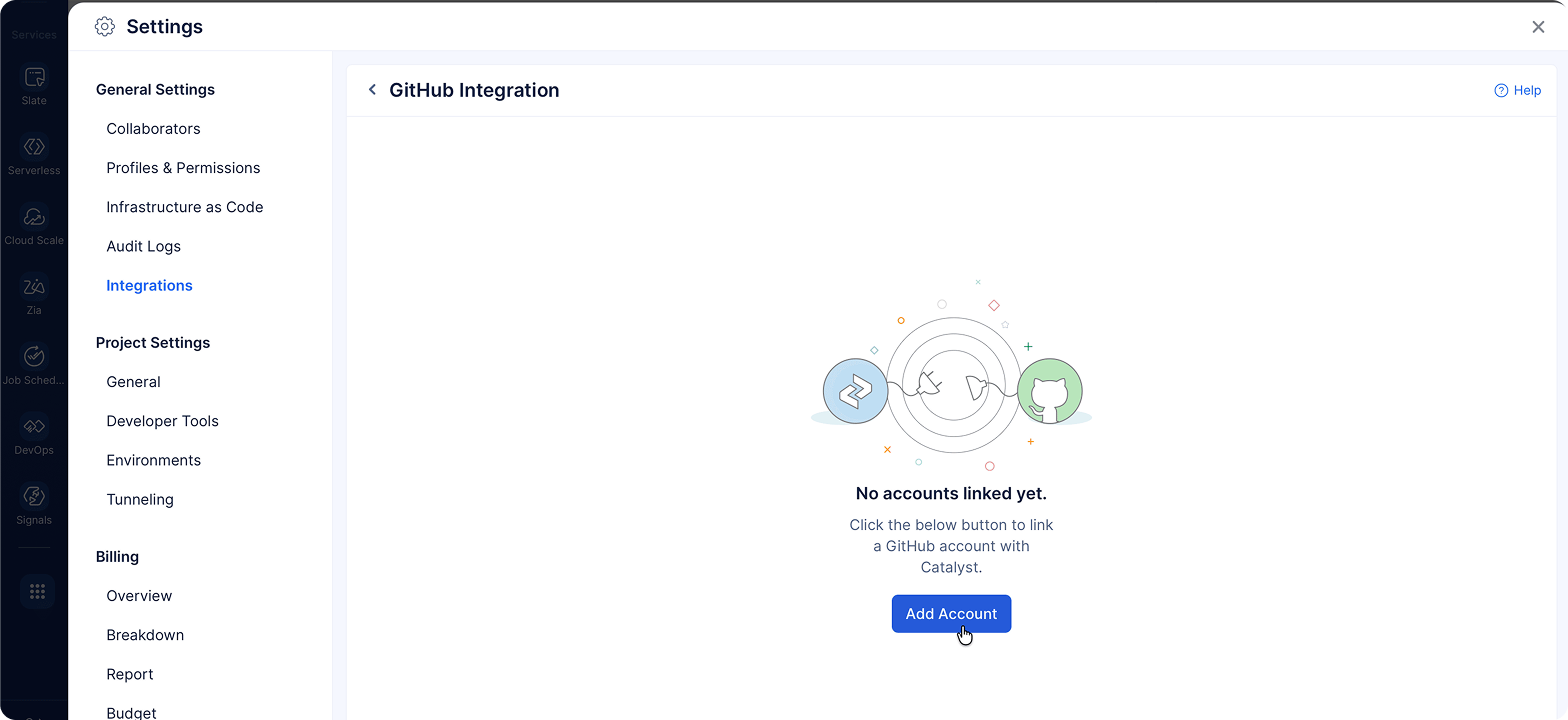
After you authorize Catalyst to access your GitHub account and verify it using your email address, you're ready to deploy your app on Catalyst Slate!
Update your lovable app after deployment
You can easily edit code in your GitHub repo or in Lovable via prompts. The changes will automatically be synced to the other service, and Catalyst Slate will automatically deploy the changes!
Edit code in your IDE and push updates
- Once your Lovable app is connected to your GitHub repository, you can pull the code from the connected repo, make changes, and push commits back.
- Lovable will immediately update the site with those changes. If they're made on the deployment branch with auto-deploy enabled, Catalyst Slate will automatically deploy them to your production site.
Edit code in Lovable
- You can use chat prompts to make changes on a free plan. You'll need a paid subscription to use their code editor to edit code directly.
- When Lovable makes changes, it creates and pushes a new commit to the configured GitHub branch (the branch synced with Lovable). With auto-deploy enabled on the deployment branch, Catalyst Slate will automatically deploy the changes to your production site.
Add a custom domain
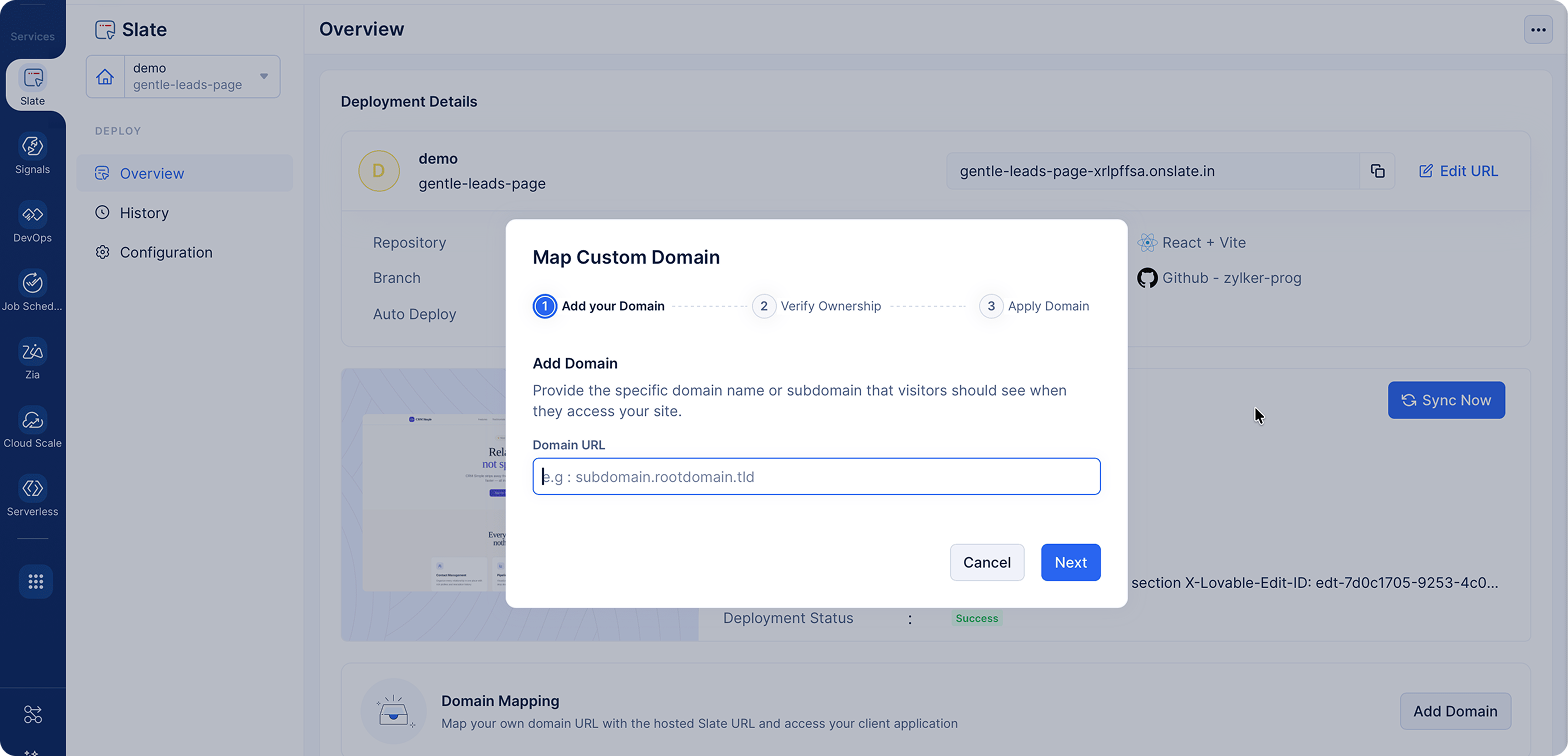
You can add your custom domain to the deployed app. Go to the Overview page and click on Add Domain.
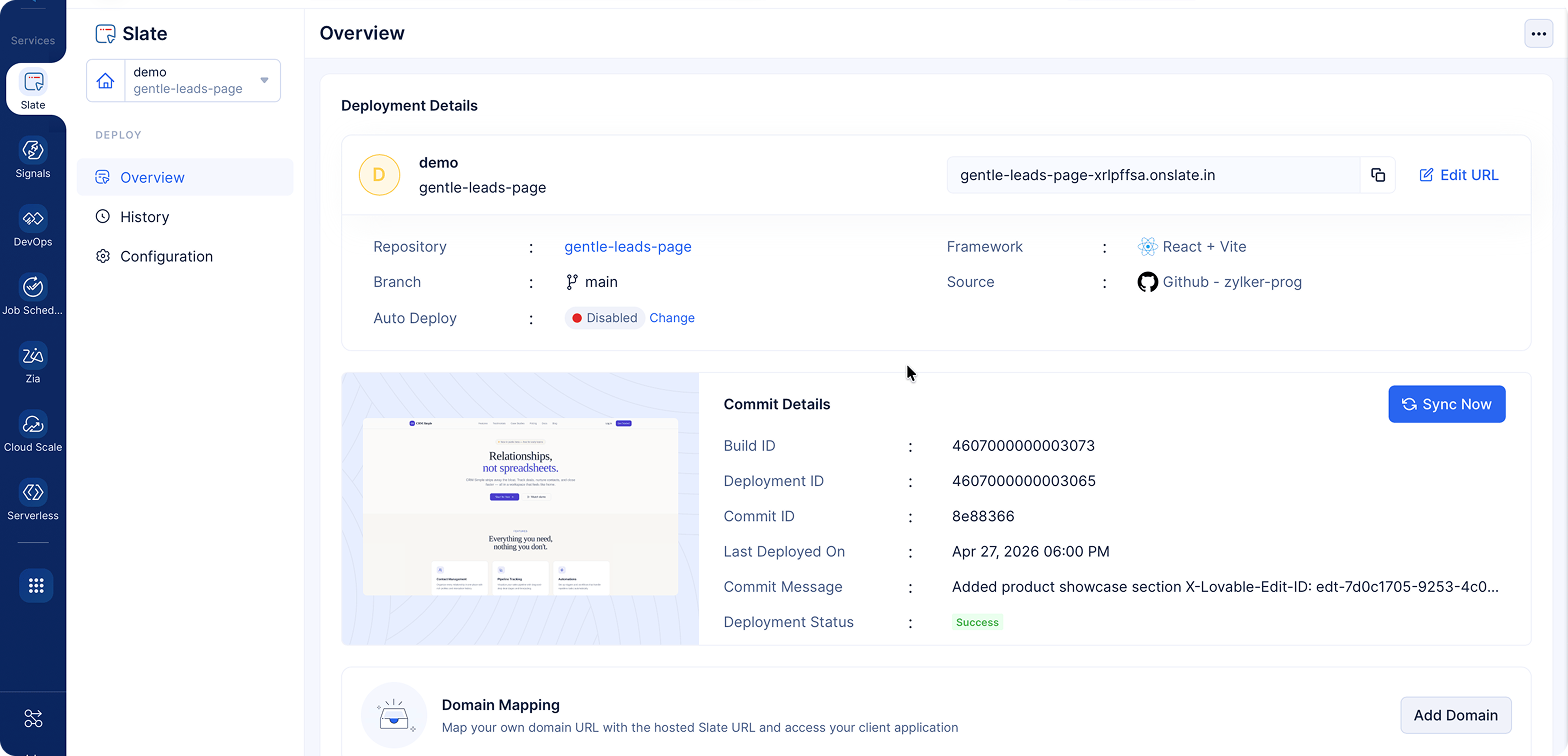
You just need to add your domain and verify your ownership of it. Then, you're good to go!
Next steps
Now that you have deployed your Lovable-built app on Catalyst Slate, you can continue iterating on your site to keep it secure, updated, and personalized with a custom domain and all the benefits of Git version control and Slate's site management tools.
You’ll be able to see your changes in both Lovable and GitHub in real time.
You can also check out other services offered by Catalyst. Make Catalyst your one-stop solution for all your app building needs and remove the hassle of switching between multiple tools.
We hope this guide helps you move your vibe coding projects from prototype to production easily with Catalyst Slate.
Deploy your vibe coding project on production-ready infrastructure.
Deploy on Slate now!FAQs
Vibe coding refers to building apps and websites quickly using simple prompts. It's great for building prototypes because it helps users create apps by bypassing traditional development workflows.
Lovable is an AI app builder that helps users create websites using prompts. It's helpful for building prototypes quickly for demos.
Generate your website or app in Lovable, sync it with GitHub, and connect the GitHub repo to Catalyst Slate. This enables quick AI app deployment and lets you deploy an AI-built app with a live URL.
No. Catalyst Slate manages the entire process, making AI app deployment simple without needing infrastructure expertise.
Changes in Lovable sync to GitHub, and Catalyst Slate automatically redeploys your app, pointing the latest deployed version to live.
Slate provides version-controlled deployments, previews, and reliable infrastructure, making it easier to deploy AI-built apps for real users.
Lovable does provide hosting and back-end services with Lovable Cloud; however, there are security and data visibility concerns, unexpected back-end changes, and vendor lock-in concerns. Also, making frequent updates to your app becomes a challenge as you may end up juggling multiple versions.
So, while you can use Lovable to build prototypes quickly, it's best to switch to a production-ready platform you can trust.
Catalyst Slate is built for running front-ends reliably. Hosting on Catalyst Slate gives you better control, automatic deployments via GitHub, predictable pay-as-you-go pricing, and the scalability needed to deploy AI-built apps for real users.
Yes. Catalyst Slate is designed for modern frontend workflows and supports frameworks like React, Next.js, Vue, and Angular, making it ideal for hosting apps generated by AI web app builders.
Yes. After deployment, you can configure a custom domain from within Slate. Once DNS verification is complete, your app will be accessible via your own domain.
Yes. Catalyst gives you a free tier with free usage credits that renew every month, along with Rs.15,000 credits during our 180-day free trial.
If a deployment fails, you can review build logs in Slate to identify the issue. Most problems are related to either incorrect build commands, root paths, or build paths and can be resolved either manually; or by using another prompt with the issue details.
Yes. Catalyst Slate is built to handle real-world applications with reliable infrastructure, allowing you to host vibe-coded apps and run them in production with confidence.